wordpress migration · Oct 17, 2026
WordPress Migration Service: What to Move and How to Choose
A WordPress migration service moves files, database content, media, subscribers, and URLs, but the hard parts are serialized data, redirects, billing records, and post-launch SEO recovery. If the move touches a real business site, those are the things that decide whether the launch is clean or messy
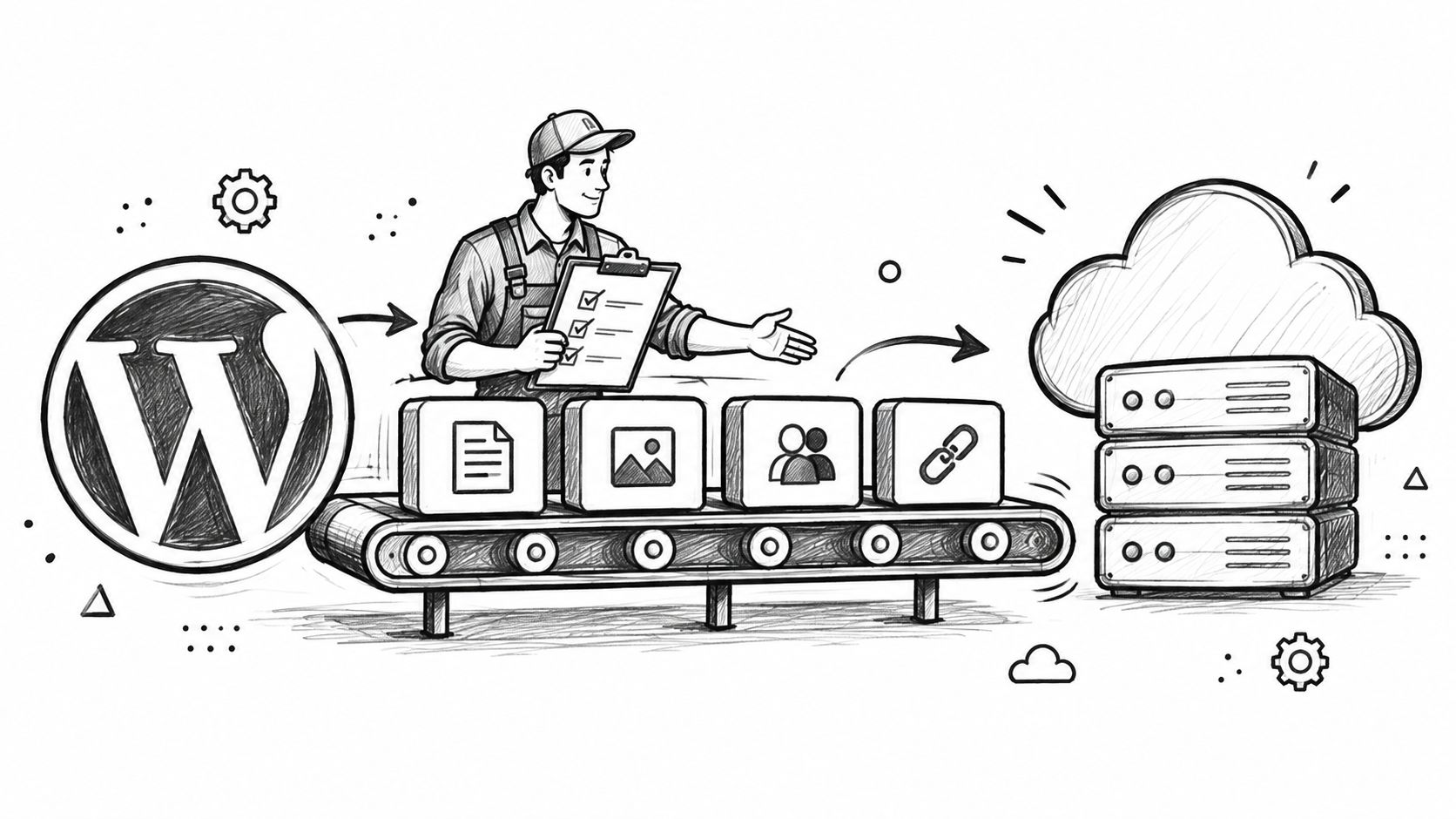
A WordPress migration service moves files, database content, media, subscribers, and URLs, but the hard parts are serialized data, redirects, billing records, and post-launch SEO recovery. If the move touches a real business site, those are the things that decide whether the launch is clean or messy.
Most site owners only notice migration when something breaks. The homepage loads, the posts are there, and then a week later the search traffic dips, old links die, or a newsletter export lands with half the audience missing. That is why a serious WordPress migration service is not a copy job, it is a controlled handoff.
Table of Contents
What a WordPress Migration Service Actually Does
A small publisher usually starts with the wrong question. They ask whether the move can be done “without downtime,” when the important question is whether the service will preserve the things that keep the site useful after launch. Content, media, redirects, subscribers, and billing data are the parts that matter.
A decent provider should treat the site like a system, not a folder. That means moving posts and pages, checking media, carrying over settings that affect behavior, and planning for search visibility after the cutover. A provider such as DesignStack WordPress migration help is worth reviewing if the service description clearly spells out what gets moved and what gets verified.
What buyers should expect
The job is not just “export and import.” It usually includes some mix of the following:
Content transfer: Posts, pages, categories, tags, and sometimes custom post types.
Media handling: Images, attachments, and downloadable files need separate verification.
Account data: Users, subscribers, and membership records need to land in the right place.
URL mapping: Old addresses need corresponding destinations, not random guesses.
Launch checks: Broken links, missing images, and form failures need a real post-launch pass.
Practical rule: If a provider cannot explain how it handles old URLs, media files, and subscriber records, it is selling a copy job, not a migration service.
The difference matters because a site can look intact and still be operationally broken. Search visibility, email capture, and paid access all depend on more than the visible pages. Buyers should treat any promise of “full migration” with skepticism until the provider names the moving parts.
The Core Move Posts Media Subscribers and URLs
A proper migration starts with a simple definition. The service should move the content people read, the files that support that content, the audience records tied to it, and the URL structure that makes old links resolve. If those pieces are missing, the move is incomplete.
A useful way to score any proposal
Posts and pages should arrive with formatting, titles, and publishing status intact. Media should still load inside the new posts, not just exist somewhere in a destination library. Subscribers should keep their suppression and opt-out state. URLs should point somewhere sensible, with old addresses matched to new ones rather than dumped at the homepage.
Taxonomies and metadata deserve the same care. Categories, tags, custom fields, and structured data are often what make the site searchable and usable, especially for publishers with archives or memberships. Settings are trickier, because some themes and plugins store behavior in special data structures that do not survive a dumb text copy.
Category | Typically moved | Often partial or left behind |
|---|---|---|
Posts and pages | Content, titles, publication state | Layout quirks tied to the old theme |
Media library | Images, attachments, downloadable files | Broken references if paths are not checked |
Taxonomies | Categories, tags, custom classifications | Plugin-specific taxonomies if unsupported |
Users and subscribers | Accounts, lists, suppression data | Billing history or segmentation rules |
Settings | Core site options, selected theme data | Plugin settings, widget state, custom tables |
URLs | Old-to-new mappings and redirects | Orphaned pages without equivalent destinations |
The point is simple. A WordPress migration service is done when the site behaves like the old one in the places that matter, not when the database import finishes.
Why WordPress Sites Are More Varied Than They Look
WordPress is common enough that people assume migrations are uniform. They are not. W3Techs currently shows WordPress on 39.6% of all websites and on 58.4% of websites whose content management system it can identify. W3Techs historical WordPress data and WordPress market share analysis make the same underlying point, the installed base is huge and uneven.
That spread creates very different migration jobs. A small blog may only need posts, images, and a handful of redirects. A publication or store can depend on custom taxonomies, multilingual content, analytics, memberships, caching, and a redirect map that protects hundreds of landing pages. The same platform name does not mean the same migration effort.
Why the site type changes the work
A basic site can sometimes be handled with standard import tools and a careful redirect pass. A more complex site often needs staging, database inspection, structured URL mapping, and manual checks on forms, logins, and checkout flows. That is where a service earns its fee.
A migration is judged by what still works after launch, not by whether the new dashboard opens.
This is also why platform history matters. WordPress has gone through multiple eras of themes, plugins, and publishing habits. A provider that only knows how to move a clean brochure site will struggle once the site has years of accumulated content logic and plugin behavior.
The Hidden Mechanics Serialized Data Media and Redirects
The most expensive migration mistakes are usually invisible at first. The site loads, but the settings are broken, image paths are wrong, or old links go nowhere useful. That is why the technical work matters more than the transfer itself.
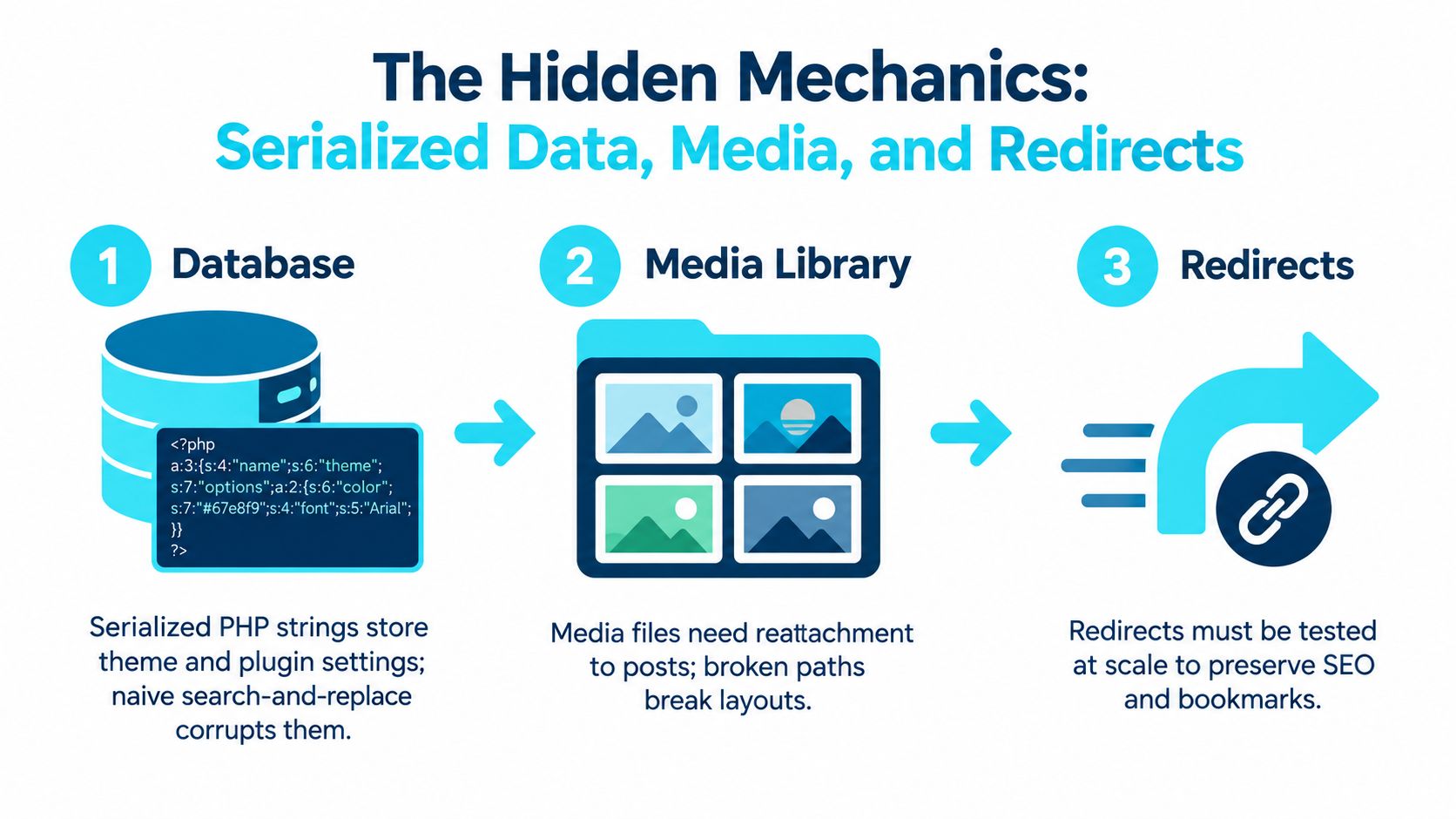
Serialized data needs WordPress-aware handling
WordPress stores some theme, widget, and plugin settings as serialized PHP arrays or objects. A naive search-and-replace can change a URL string and leave the stored length metadata wrong, which corrupts the structure. That is why a competent migration uses serialization-aware tooling and dry-run checks instead of raw text edits, as explained in the database rewriting guidance from Delicious Brains.
Media needs a separate verification pass
Media is not guaranteed to come along just because posts imported, because files and posts often travel separately. After import, the practical check is boring but necessary, open representative posts, confirm images render, and verify downloads and attachments still work.
Redirects are not a homepage trick
Old URLs need one-to-one destinations wherever possible, not a lazy funnel to the front page. Google's site-move guidance recommends mapping old URLs to their new equivalents, using server-side permanent redirects, updating internal links, canonicals, and XML sitemaps, and keeping redirects for as long as possible, generally at least one year. That is why a provider's redirect plan should be concrete, not hand-wavy. Google's site move guidance and VeloCMS redirect setup notes are both useful references here.
The question to ask is blunt: can the service prove it tested redirects at scale, validated media, and rewrote database values safely? If the answer is vague, expect cleanup work after launch.
What Migration Services Cost and What That Price Buys
Pricing gets messy because the word “migration” hides a lot of labor. Published estimates range from roughly $100 to $500 for a standard single-site move to $500 to $2,000 or more for complex WooCommerce stores, Multisite networks, or sites with large databases, and specialist agencies commonly quote $500 to $5,000 or more depending on complexity. Toptut's cost breakdown gives enough of a spread to show the main point, complexity drives price, not the platform label.
The smart way to read a quote is to separate labor from assumptions. Does the price include content import, media handling, redirects, email or newsletter transfer, memberships, DNS cutover, accessibility checks, staging, rollback, and post-launch monitoring, or just a file move? If that list is not explicit, the quote is incomplete.
What each cost band usually means
A low-end move often covers a straightforward blog or brochure site. A mid-range project usually means more moving parts, such as stores, subscriptions, or custom fields. The upper range is where the work stops being “migration” in the casual sense and becomes controlled replatforming with lots of verification.
Buyers should also ask what happens after launch. Search traffic can wobble, indexed pages can drop, and redirect cleanup often takes longer than the import itself. For a useful pricing lens, the real cost of running a WordPress blog is a better frame than a simple hourly quote.
Bottom line: if a proposal does not itemize media, redirects, subscriber data, and post-launch checks, it is not comparing like with like.
Plugin by Plugin Moves vs Import Based Moves
There are really two migration philosophies. One tries to preserve the existing WordPress stack as-is. The other uses an import-based destination and accepts that some old plugins will be replaced by native features or new workflows.
A like-for-like move is the safer choice when the current plugin setup is the product. Membership rules, forms, paid content, and edge-case integrations may need to survive unchanged. An import-based move is cleaner when the goal is to reduce the number of systems in play, cut recurring plugin overhead, and simplify the publishing stack.
Where each approach wins
A plugin-preserving move usually wins on continuity. Staff already know the tools, customers see fewer workflow changes, and custom behavior is more likely to survive. It can be the right call for a business that cannot afford to rebuild the operating model at the same time as the site.
An import-based move wins on simplification. For example, VeloCMS provides migration tooling for WordPress XML and related formats, and its product messaging centers on consolidating blogging, newsletters, memberships, and site theming into one subscription. Its current pricing should be checked at velocms.org pricing, and it starts with a 14-day free trial, with no free plan. The useful question is not whether that path is “better,” but whether the site owner wants fewer plugins and fewer moving parts after the migration. What happens to WordPress plugins after migration is the right kind of documentation to inspect before choosing.
The trade-off is clear. Same-stack moves preserve behavior. Import-based moves reduce complexity. A good provider should say which one it is selling.
Choosing a Provider With a Checklist You Can Reuse
A migration vendor can talk about “white-glove service” all day. None of that matters if the provider cannot answer hard questions about the handoff. The best checklist is the one that forces specifics.
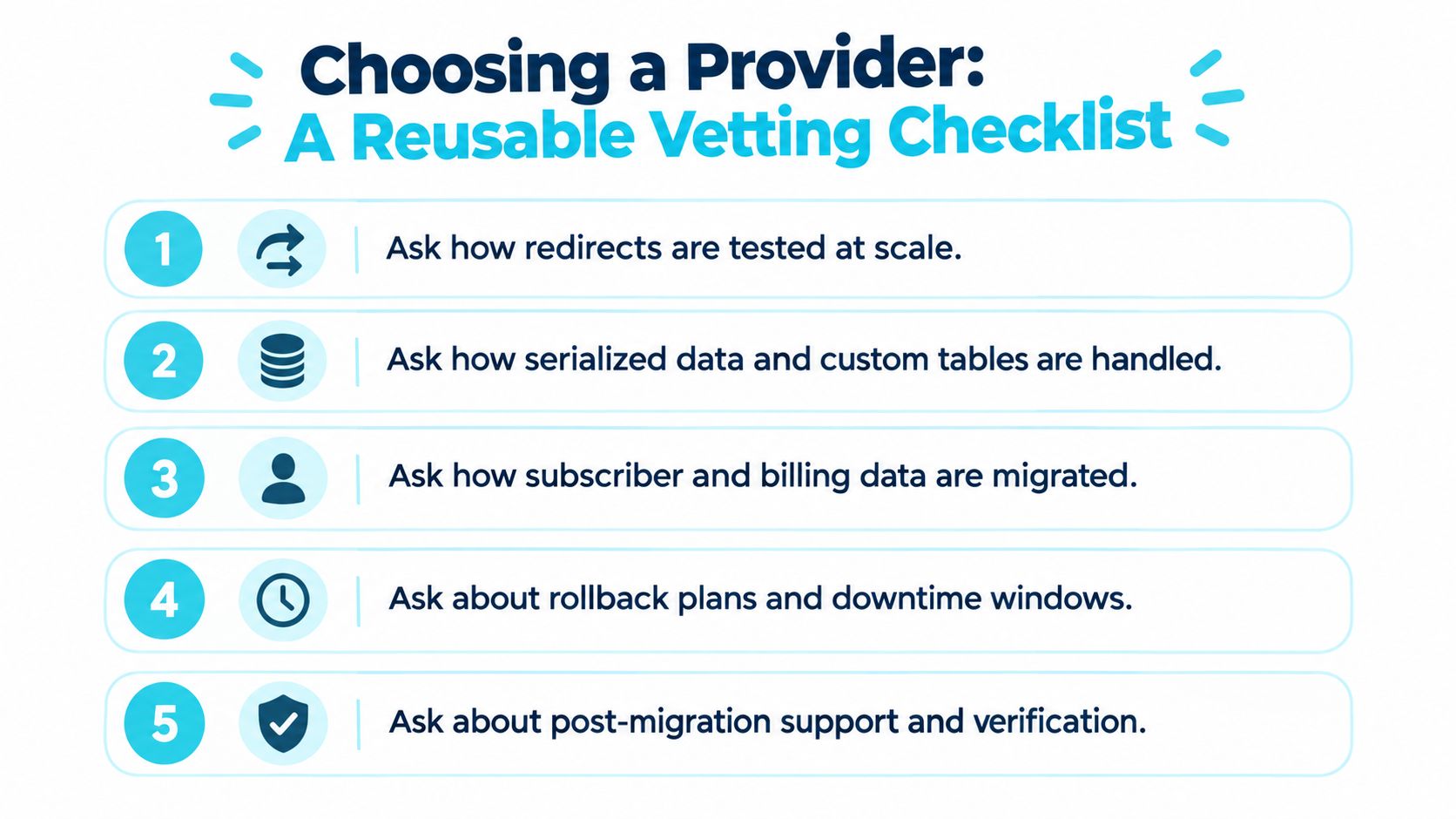
Questions that separate marketing from capability
Redirect testing: Ask how redirects are tested at scale, not just on a sample of pages.
Database handling: Ask how serialized data and custom tables are handled without corruption.
Audience records: Ask how subscriber and billing data are migrated, including suppression lists.
Recovery plan: Ask about rollback options, downtime windows, and who owns the cutover.
Aftercare: Ask about post-migration support, verification, and what happens if traffic or indexing slips.
The best providers answer in procedures, not adjectives. They should be able to describe staging, backups, validation, and what they do when an import item fails. If they cannot, then they are not selling migration expertise, they are selling confidence.
This is also where portability matters. A site owner should know whether the export remains usable if the relationship ends. If the answer is no, the business has swapped one lock-in risk for another.
Your Launch Readiness Checklist Before Cutover
Before launch, the site owner needs proof, not reassurance. The URL inventory should be complete, the redirect map should match old pages to new ones, and a sample of posts should show media attached correctly. Subscriber and unsubscribe data should be verified, billing records should preserve active products and intervals, and post-launch monitoring should already be scheduled.
A good launch also has a rollback path. That means someone has tested what happens if the move needs to be reversed, not just assumed it can be. For a practical companion to that process, it helps to browse the launch guide and compare it with the migration vendor's own steps.
A final decision rule
If the goal is stack consolidation, import-based destinations such as VeloCMS are worth a close look because they reduce the number of tools a small team has to hold together. If the goal is to keep plugin parity and preserve an existing workflow with as little change as possible, a same-stack move is still the right call.

A good migration service should move the content, keep the audience data intact, and leave the business with fewer surprises after launch. If the site owner wants consolidation, native email, and a cleaner publishing stack, VeloCMS is one platform built around that shape of move. If the site needs help deciding whether to simplify or preserve the current setup, the right next step is to compare what the migration vendor will carry over, not what it says in the sales copy.