squarespace vs wix · Nov 07, 2026
Squarespace vs Wix for Blogging: Which Fits Your Workflow
The usual advice, choose Squarespace for looks and Wix for flexibility, stops too early. Wix is the stronger choice for bloggers who need technical SEO control or a free starting point; Squarespace fits writers who prefer polished presentation and fewer configuration decisions. For a blog that may b

The usual advice, choose Squarespace for looks and Wix for flexibility, stops too early. Wix is the stronger choice for bloggers who need technical SEO control or a free starting point; Squarespace fits writers who prefer polished presentation and fewer configuration decisions. For a blog that may become a newsletter or membership business, neither deserves a commitment until its mobile pages, total costs, and export options have been tested.
Table of Contents
Which Platform Fits Your Blog
The best answer to Squarespace vs Wix for blogging depends less on the homepage editor than on what the publisher will need after launch. A straightforward business blog and a multilingual publication have different requirements, even when their opening pages look similar.
Wix has the larger installed base: Colorlib figures reproduced by Wix's website statistics roundup put its dedicated website-builder market share at 45%, with around 8 million live sites in 2024, against 16% and approximately 2.9 million for Squarespace. That scale makes ecosystem breadth relevant, but it doesn't establish which platform produces better articles, more subscribers, or stronger search rankings.
The Questions That Matter After Launch
Technical control: Publishers who expect to manage crawl rules, redirects, and customized structured data should lean toward Wix.
Reading experience: Image-heavy blogs need testing on actual mobile article pages, not judgments based on attractive template previews.
Business direction: A planned newsletter or membership operation makes audience portability and recurring service costs part of the initial decision.
For broader platform evaluation, MD TECH TEAM's guide to choosing a CMS in 2026 offers useful context beyond this particular pairing. A focused blogging-platform selection checklist can also help publishers separate essential publishing requirements from optional design features.
The practical distinction is control versus convenience. Neither a larger ecosystem nor a more polished starting template compensates for a workflow that becomes awkward once publishing is routine.
Blogging Features and SEO Controls Side by Side
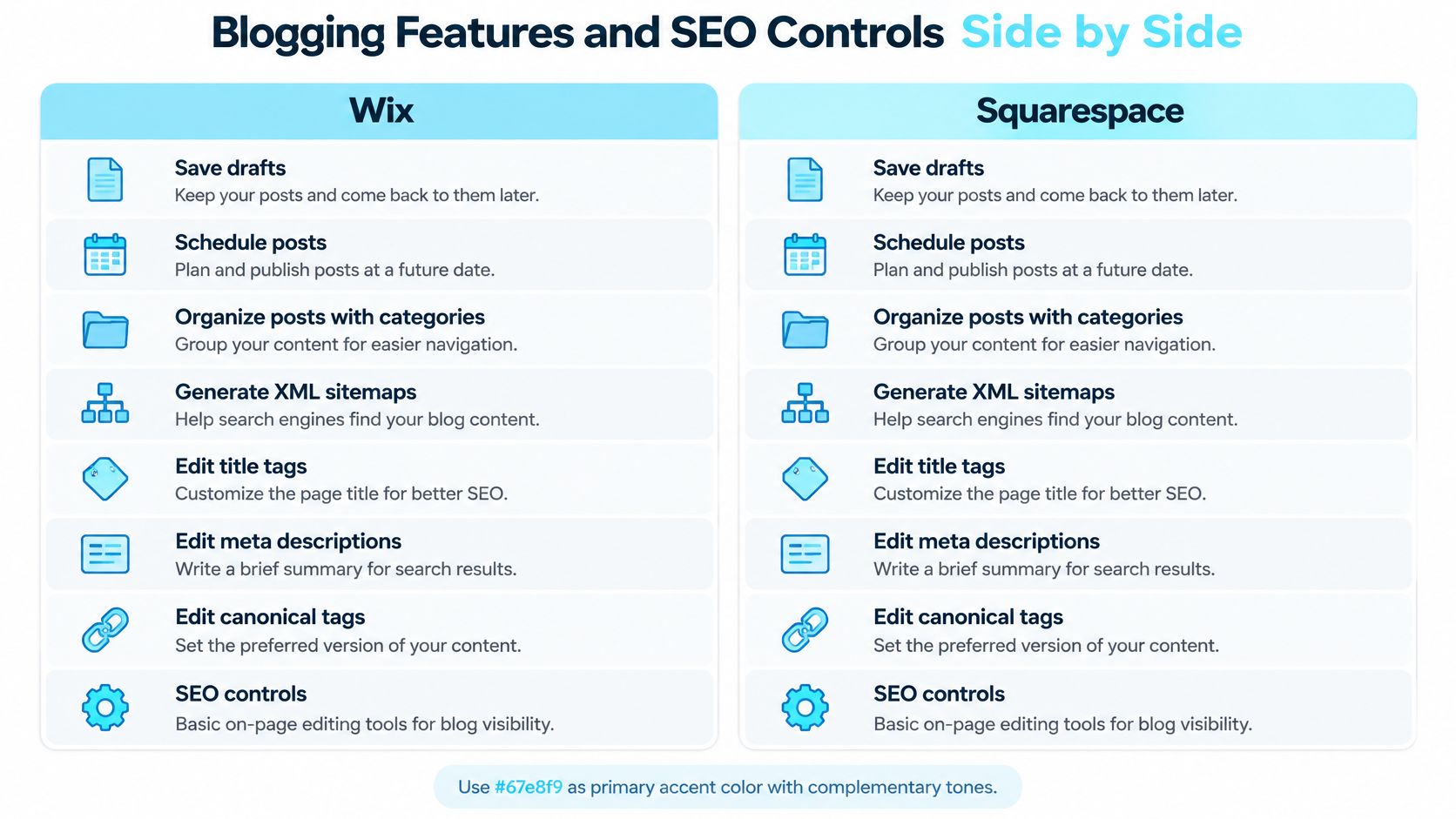
Wix and Squarespace share core tools for publishing and on-page SEO. Their differences matter most when a blog needs custom crawl rules, structured data, or multilingual content.
Criterion | Wix | Squarespace |
|---|---|---|
Drafts, scheduling and categories | Yes | Yes |
Automatic XML sitemap | Yes | Yes |
Editable title tags and meta descriptions | Yes | Yes |
Canonical tags | Yes, customizable | Automatic only |
Image alt text | Yes | Yes |
Editable robots.txt | Yes | No |
Editable URL redirects | Yes | Yes |
Per-page structured data | Yes, through JSON-LD | Limited customization |
SEO setup approach | Setup checklist with more settings | SEO panel with common checks |
Multilingual site features | Yes, native | Through the Weglot integration |
SoRank's Wix and Squarespace comparison describes their shared search features and Wix's additional controls, including IndexNow support for Bing. Wix is the more flexible option for publishers who need to adjust technical SEO settings. Squarespace offers common SEO controls through a more guided setup.
The platforms also differ in how they present routine tasks. SaaS CRM Review's comparison describes Squarespace's built-in SEO tools for editing each page's title and description, while Wix provides a broader set of configuration options.
Where Additional Control Pays Off
A publisher using different article formats may want structured data customized for each. Wix supports JSON-LD customization based on schema.org, giving publishers more control over how pages are marked up. Squarespace's more guided setup suits blogs that need standard settings without as much technical configuration.
Redirects and robots.txt address separate tasks. A redirect sends an old URL to its replacement; robots.txt gives crawlers instructions about accessing URLs. When a post's address changes, a redirect is the relevant tool.
For example, if a small business renames a service and updates related article slugs, the editor should map each old address to its new page and test the result. Extra crawl settings do not replace that maintenance.
Practical rule: More SEO settings help only when someone can manage their effects.
A Publish-Time SEO Checklist
Use a repeatable review before publishing:
Title and description: Write a readable title tag and a description that accurately summarizes the article. Avoid repeating keywords to fill either field.
Canonical address: Confirm that the canonical points to the intended post, especially after duplication or a URL change.
Image descriptions: Add meaningful alt text to informative images rather than repeating the article's target phrase.
Structured data: Use Google's Rich Results Test to inspect Article, Breadcrumb, and Organization markup where applicable. Check the generated markup rather than assuming it includes everything needed.
Changed URLs: Test the old address after adding a redirect, including links from category pages and related posts.
A blogger's SEO and AEO checklist can help turn these checks into an editorial routine.
During platform evaluation, inspect the page source for structured data and locate the settings you expect to use regularly. A setting that is difficult to find adds work each time it is needed. For a simple blog, Squarespace's standard controls may be enough; Wix gives publishers more room to adjust technical SEO.
Writing, Scheduling and Organizing Posts
A publishing platform should be judged during an ordinary editorial session, not only while building a site. Website Planet's comparison confirms that both Wix and Squarespace support drafts, scheduled posts, and categories, while identifying Wix's additional crawl and redirect controls.
That shared foundation makes the surrounding workflow more important than a feature-count victory. The useful question is whether a writer can move from finished copy to a checked, scheduled article without repeatedly opening unrelated settings.
From Draft to Scheduled Article
Start with a real draft. A representative article should include headings, links, images, captions, and any signup placement the finished blog will use. Testing only a short text block conceals the work involved in formatting normal posts.
Assign the category before scheduling. Categories should represent stable subject areas, not every phrase mentioned in an article. Tags, where used in the chosen setup, should help readers find related material rather than duplicate categories.
Set the publication time and inspect the preview. The editor should check the displayed time zone, then review the article on a phone. Long headings, image crops, newsletter forms, and crowded navigation deserve particular attention because desktop previews can conceal uncomfortable reading layouts.
The trade-off appears throughout this process. Wix's broader configuration gives technically involved publishers more places to adjust the result, but also more decisions to maintain. Squarespace's simpler publishing model suits a writer who wants to finish the text, check the presentation, and move on.
Testing the Routine Under Real Conditions
A useful trial session should include several related tasks:
Create a small batch: Draft three genuine articles in one sitting and note any formatting work that must be repeated.
Schedule deliberately: Set one article for the following morning, then confirm its publication status and displayed date.
Edit after publication: Correct a paragraph, replace an image, and check that the live page reflects the changes.
Test an address change: Alter a published slug and inspect the old URL rather than assuming the platform handled it.
These are proposed test tasks, not comparative performance findings. The publisher should record friction in plain terms, such as repeated clicks, confusing status labels, or formatting that needs manual repair.
A platform that feels pleasant for occasional writing may feel cumbersome when every article requires the same repeated adjustments.
For daily publishing, repeatability and clear handoffs deserve the most weight. A weekly writer may accept extra configuration for more control, while a monthly business blogger may reasonably prioritize a consistent layout and a short pre-publication checklist. Frequency changes the cost of friction, even when both platforms technically support the same publishing steps.
Speed and Image Weight on Mobile Blogs
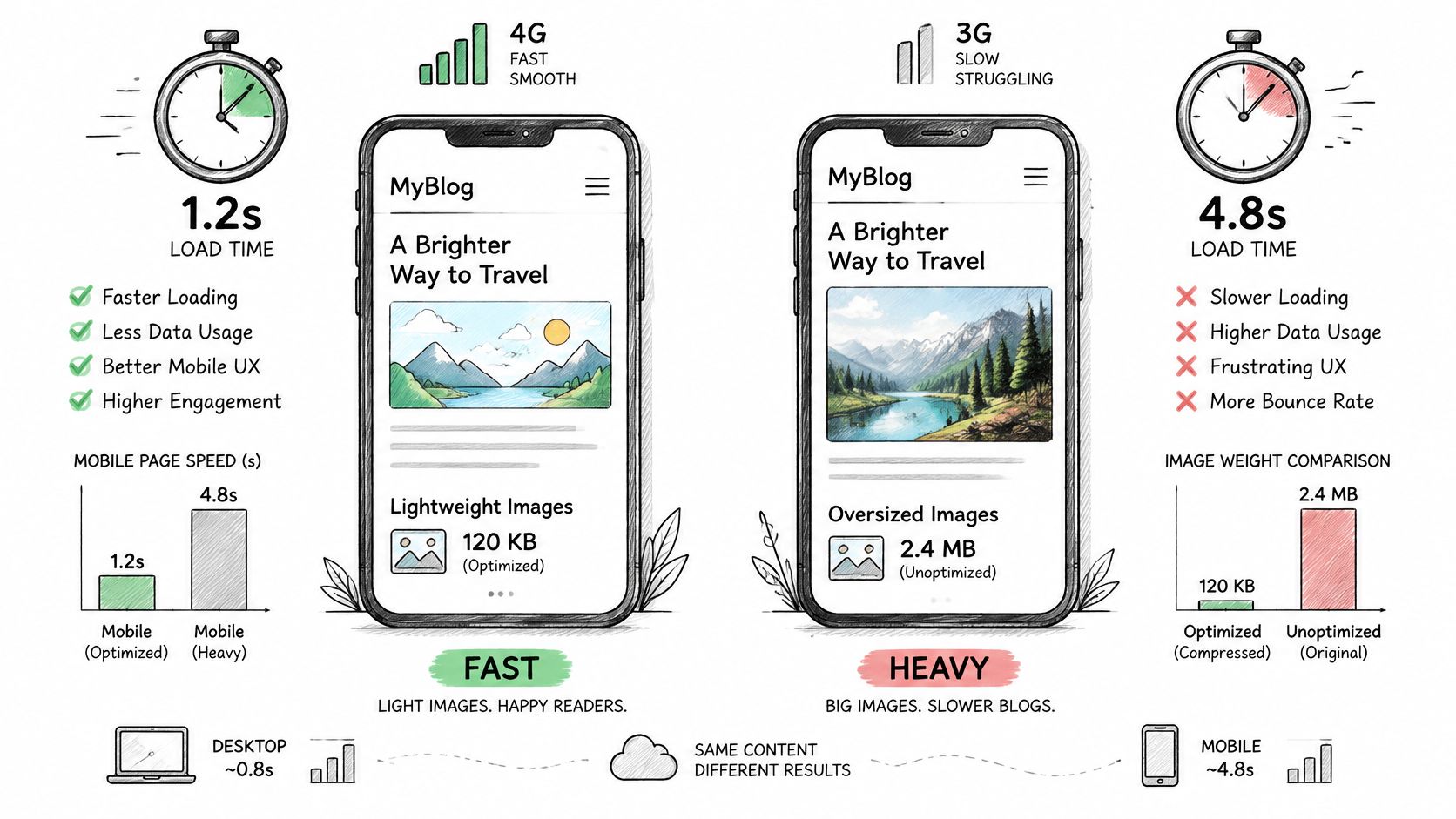
The mobile results favor Wix on both reported measures, though they do not predict how a specific blog post will perform. The 2025 Web Almanac CMS chapter reports a median mobile image weight of about 194 KB for Wix, the smallest of the platforms charted, and places Squarespace among the heaviest, alongside Joomla's 1,612 KB. It also reports that Wix's median mobile performance score rose from 55 to 64, while Squarespace sat in the group with the lowest mobile scores, between 30 and 32.
The chapter reports a Wix median desktop Lighthouse performance score of 87, while Squarespace's 94 (against 95 for Wix) is a Lighthouse accessibility score. These metrics are not interchangeable: an accessibility result is not a performance score, and platform-wide medians cannot predict a particular article's result.
Test the Article, Not the Homepage
The image-weight gap makes media-heavy blogs worth testing carefully. The result for an individual post also depends on its images, layout, embeds, and added scripts.
Use the same article structure and comparable components on both platforms:
Choose the intended template: Use a layout suited to the publication, not an unusually minimal demo.
Build a representative post: Include six to eight images as a proposed test workload, along with normal headings and internal links.
Add business components: Include the intended newsletter embed and, where available in the trial, a membership gate.
Run a mobile test: Use Lighthouse or PageSpeed Insights on the article URL, recording image weight alongside the performance result.
Optimize and repeat: Resize and compress the images, then rerun under comparable conditions.
Inspect Core Web Vitals diagnostics as well, especially the main content element, layout shifts, and interaction delays. A composite score can hide a specific problem that matters to readers.
Interpret the Result Carefully
For Squarespace publishers using large editorial photographs, image optimization deserves close attention. Wix publishers should still check whether animation, elaborate layouts, or scripts add weight without improving the reading experience.
Performance takeaway: Template polish and page speed are separate purchase criteria.
The cited medians favor Wix on mobile image weight and performance, but they describe platform-wide averages, so a representative test of the actual article remains the better basis for a decision.
Plans, Free Options and Real Monthly Cost
Starting prices and plan terms
Option | Starting price | What it includes |
|---|---|---|
Wix free plan | $0 | Wix branding and a Wix-branded domain |
Wix paid plans | From $17 per month, reported | Features are tier-specific; check current tiers |
Squarespace plans | No permanent free plan | A 14-day trial, then a paid plan |
Squarespace Basic | $16 per month billed annually | Listed on Wix's comparison page in December 2025 |
VeloCMS | No free plan | Every paid plan starts with a 14-day free trial |
The Wix free-plan terms and reported paid starting price come from Squarespace's Wix comparison, which describes Wix paid plans as starting at $17 per month and Squarespace plans as starting at $19 per month. The 14-day Squarespace trial is listed on Squarespace's pricing page. The historical Basic price of $16 per month with annual billing, as of December 2025, appears in Wix's Studio-versus-Squarespace comparison.
Both are vendor comparisons, not neutral purchasing advice. Those starting figures also don't establish equivalent newsletter, membership, or commerce capability, so current tiers and billing commitments need confirmation before payment.
Calculate the Publishing Stack
Real monthly cost equals the site subscription, plus separate publishing services, plus sales-related fees. The useful comparison is between complete working setups, not their cheapest advertised entry points.
A clearly hypothetical example illustrates the calculation: a writer paying $17 for a site plan and $12 for a separate newsletter tool would spend at least $29 monthly, before transaction fees or other services. With 10 memberships at an illustrative $5 each, the writer would also need to calculate any applicable fees on those sales; these are scenario assumptions, not quoted vendor terms.
A breakdown of recurring blog operating costs provides a useful checklist for separating the platform bill from the surrounding tools.
Compare Included Capability and Limits
VeloCMS's Pro plan costs $9/month and includes unlimited posts and pages, a custom domain, a Visual Page Builder with 70+ blocks, AI SEO and AI-search visibility scoring, memberships and paywalls, a newsletter with tag segmentation, integrations, and Theme Marketplace access. It also includes e-commerce with products, variants, and shipping; the WordPress Migration Wizard; preset themes and a customizer; and email support.
Its listed allowances are one site, 5 GB storage, 5,000 subscribers, 10,000 API calls daily, 1,000 AI calls daily, and 100 AI translations monthly. Those limits matter alongside the included features, especially for a growing audience or media archive.
VeloCMS charges a 0% transaction fee, compared with 10% for Substack and 0–2% on Squarespace online store sales and 0–7% on its digital content and memberships, depending on plan (Squarespace pricing); payment-processing charges should be evaluated separately. Current plan details should be compared against the intended sales type, since a platform-fee range isn't a universal quote for every transaction.
A free start and an inexpensive operating business aren't the same thing. Branding, subscriber allowances, required tools, and migration work all belong in the purchase decision.
Pick Your Platform and Run the Trial
Wix is the clearer recommendation for a publisher who expects to manage technical settings. Squarespace is the clearer recommendation for a brand-led blog that prioritizes presentation and a simpler routine. A planned newsletter or membership business needs an additional test: whether the audience and archive can move.
Best fit by blog situation
Your situation | Better fit | Why |
|---|---|---|
Solo writer who wants to start free | Wix | Free plan exists, with Wix branding |
Brand-led blog where template polish matters most | Squarespace | Simpler defaults and fewer configuration choices |
SEO-focused publisher who edits robots.txt or redirects | Wix | Editable robots.txt and redirects, plus per-page structured data |
Media-heavy mobile blog with many images | Test both | Image discipline and template choice affect the result |
Newsletter or membership business planned | Test both, compare exports first | Audience and archive portability determine later migration work |
Treat Portability as a Publishing Requirement
Jotform's Wix-versus-Squarespace comparison frames Wix as the more full-featured blogging system and Squarespace as more integrated with the surrounding website. Neither description, by itself, answers whether a successful publication can leave without rebuilding its archive and audience records.
An export test should examine posts, attachments, metadata, subscriber fields, tags, and member access. A file containing article text isn't equivalent to a usable copy of the publishing business. Paid access deserves special attention because an exported member record doesn't necessarily recreate billing or entitlements elsewhere.
VeloCMS offers native full data export; what Squarespace and Substack exports include differs, so test them before relying on them. Its tested imports cover WordPress XML, Squarespace XML, Substack export ZIP, Ghost JSON, and Medium archives, carrying posts, attachments, and metadata; WordPress comments aren't imported. Those import results shouldn't be interpreted as proof that every source platform exports every field, or that Wix has an equivalent tested import path.
A Trial Plan That Produces a Decision
The following 14-day evaluation schedule is a proposed working plan, not a claim about either platform's measured setup time:
Day one: Publish a representative article with six to eight images, add the intended newsletter signup, and capture a mobile performance baseline.
Days two to four: Add two more real articles, schedule one, edit a live post, and test an address change.
Days five to seven: Inspect metadata, canonicals, redirect behavior, and generated structured data. Confirm whether the required crawl controls are accessible on the shortlisted setup.
Days eight to ten: Export sample content and subscriber records, using test contacts where appropriate. Inspect the files and attempt a sample import into the intended destination.
Days eleven to fourteen: Retest optimized article pages, calculate the complete recurring bill, and document any missing capabilities or manual reconstruction.
The trial should end with evidence, not a general impression. A useful decision record contains the actual article URL, mobile test results, exported files, required subscriptions, and unresolved limitations.
The winning platform is the one that passes the publisher's SEO, reading-experience, and exit-path requirements. A longer feature list isn't compensation for a missing export field, an awkward weekly workflow, or a business tool that makes the final bill unacceptable.
VeloCMS combines blogging, newsletters, memberships, and site theming in one subscription, with full data export for publishers who want an exit path. Publishers comparing a future newsletter or membership business can visit VeloCMS and use its 14-day free trial to test a real article, audience workflow, and export before committing.