newsletter publishing platform · Nov 06, 2026
Newsletter Publishing Platform Comparison for 2026
Most advice says to pick the newsletter publishing platform with the best free plan or the prettiest templates, and that's the wrong place to start. The better answer is to compare what the platform charges as revenue grows, what sender controls decide inbox placement, and what data leaves with the

Most advice says to pick the newsletter publishing platform with the best free plan or the prettiest templates, and that's the wrong place to start. The better answer is to compare what the platform charges as revenue grows, what sender controls decide inbox placement, and what data leaves with the publisher on exit. Templates can change in an afternoon. Fees, failed authentication and a trapped subscriber list cost readers and money for years. A sound choice protects paid revenue, passes mailbox provider checks and keeps the list portable from day one.
Table of Contents
Newsletter Publishing Platforms at a Glance
The main choice is between platforms that take a share of paid subscription revenue, platforms that charge a flat monthly fee, and platforms that charge by subscriber count. That one distinction explains most of the cost and control differences in the table below.
A modern platform does more than send email. It hosts the archive, collects payments, stores consent records and holds the subscriber list, so a weak export or a badly configured sending domain affects the whole publication. Discovery features matter, but they don't compensate for a fee model that punishes growth or an inbox problem that stops readers seeing new issues.
How the Core Options Compare
Platform | Pricing model | Native newsletter |
|---|---|---|
Substack | 10% of paid subscription revenue | Yes |
Ghost | Monthly plans priced by member count, no payment fees | Yes |
beehiiv | Monthly plans priced by subscriber count | Yes |
Kit | Subscriber-based tiers | Yes |
Mailchimp | Subscriber-based tiers | Yes |
VeloCMS | Flat monthly fee, no free plan, 14-day free trial on every plan | Yes, with segments |
VeloCMS offers native newsletter with segments, while self-hosted WordPress needs a plugin, Ghost and Substack offer native newsletters, and Squarespace sells email through its separate Email Campaigns product. That difference matters for publishers who want the site and the sending system under one login rather than a plugin or a separate email tool to maintain.
How to Read This Table
Start with the row that matches the revenue model. Paid writers should look hard at the percentage column, because a share of revenue feels painless at launch and expensive later. Publishers with a large free list should look at subscriber tiers, because cost rises with audience size even when paid revenue doesn't. Publishers who value predictable bills usually prefer a flat fee, provided the plan doesn't force a higher tier through send limits or feature gates.
Find the row that matches how money is earned, then test cost, sender controls and export before judging design.
Native sending alone isn't enough. The platform still has to authenticate the publisher's domain, suppress unsubscribed addresses everywhere and export posts, members and subscribers in a reusable format. A platform that handles those jobs poorly creates hidden work, even when the editor feels simple.
What Each Pricing Model Costs as You Grow
A percentage fee is easy to underestimate because it's taken from money that already arrived. The arithmetic is unforgiving once paid subscriptions become a real income stream.
A Worked Example
Say a publisher earns $1,000 in monthly paid revenue. A 10% platform fee costs $100 a month. At $5,000, the same model costs $500 a month, before card processing fees that apply on top.
Monthly paid revenue (USD) | Fee at 10% (USD) |
|---|---|
1,000 | 100 |
2,500 | 250 |
5,000 | 500 |
The break-even point is the revenue level where a suitable flat tier becomes cheaper than the percentage fee. To find it, a publisher takes the percentage fee at current revenue, compares it with the flat tier needed, and checks whether a subscriber threshold pushes that tier higher.
If a flat tier costs less than $100 a month, it's already cheaper at $1,000 of paid revenue. If it costs more than $500, the percentage model still wins at $5,000. The formula is simple. The mistake is using launch revenue instead of the revenue expected in twelve to eighteen months.
Costs Readers Often Miss
Card processing: Payment processing applies on top of a platform percentage, so the true deduction is higher than the headline share.
Paid add-ons: Automations, advanced segmentation or a custom sending domain can sit in higher tiers.
Send and subscriber limits: A list that crosses a threshold mid-year can force an upgrade before revenue catches up.
Separate tools: A cheap newsletter tool stops looking cheap when a publisher also pays for a website, memberships and integrations.
Subscriber-based tiers suit list-first businesses that earn from products, sponsorships or services rather than paid posts. The bill tracks audience size, so inactive subscribers have a direct cost and regular list cleaning becomes a financial habit, not just good hygiene.
Practical rule: Percentage fees suit a small paid base. Flat fees pay off once paid revenue passes the break-even point.
Deliverability Controls to Check Before You Switch
A platform that sends email for a publisher doesn't remove the need for that publisher's domain to pass authentication. Claims about built-in deliverability mean little without controls the publisher can inspect and test.
According to Google's email sender guidelines, bulk senders need SPF, DKIM and DMARC, while subscribed and marketing messages must provide one-click unsubscribe and a clearly visible unsubscribe link. Google applies its bulk sender rules to senders of more than 5,000 messages per day to Gmail accounts, and Yahoo sets comparable requirements for bulk senders. Smaller newsletters may sit below that threshold, but meeting the same controls still protects sender reputation as the list grows.
Seven Controls to Test
Control | What It Proves | How to Test |
|---|---|---|
SPF | Your sending server is allowed to send for your domain | Check the Authentication-Results header for spf=pass |
DKIM | The message was signed by your domain and not altered | Confirm dkim=pass in the headers of a test email |
DMARC | SPF or DKIM aligns with the visible From address | Send to a Gmail test address and check for dmarc=pass |
One-click unsubscribe | Opt-out works without logging in | Click the unsubscribe link and confirm the address is removed |
Suppression list | Unsubscribed addresses stay off every segment and automation | Unsubscribe a test address, then confirm it is excluded from the next campaign |
Bounce handling | Hard-bounced addresses are removed automatically | Send to an invalid address and check that it is removed after the send |
Complaint monitoring | Spam complaints are reported per campaign | Confirm the platform shows complaints by campaign, not only as a total |
Native delivery concentrates responsibility. It removes a separate email service provider, but it also puts sender reputation, compliance records and audience data in one system. Transactional messages such as receipts and password resets should stay separate from promotional sends, so a weak campaign doesn't damage essential account email. Consent dates, signup source and subscription status should travel with every record.
Publishers who need the setup steps can follow the guidance on configuring a custom sender domain for newsletters before the first real campaign. The setup isn't finished when records are added. It's finished when a received message proves they work.
The Acceptance Test
Send a test campaign to a Gmail address controlled by the publisher. Check the authentication results in the headers, use the one-click opt-out, then send again and confirm that address receives nothing. Send to an invalid address and confirm it's removed. Read the campaign diagnostics for bounces and complaints. If the platform can't show those results clearly, it isn't ready for a large imported list.
Engagement Metrics Worth Comparing Across Platforms
Open rate is the weakest basis for comparing platforms because privacy features and machine opens inflate it. The DMA's Email Benchmarking Report 2025 found open rates had risen to 35.9% after Apple Mail Privacy Protection while unique click rates reached only 2.3%. A dashboard can look healthier while actual reader action stays flat.
Large-sample benchmarks give publishers a better yardstick. MailerLite's 2025 benchmark analyzed more than 3.6 million campaigns from over 181,000 accounts across 46 industries and seven regions. Its reported global medians were 43.46% open rate, 2.09% click rate, 6.81% click-to-open rate and 0.22% unsubscribe rate.
Benchmarks by Campaign Type
Metric | Global median | Author campaigns | E-commerce campaigns |
|---|---|---|---|
Open rate | 43.46% | 43.14% | 32.67% |
Click rate | 2.09% | 2.75% | 1.07% |
Click-to-open rate | 6.81% | 7.81% | 4.01% |
Unsubscribe rate | 0.22% | 0.31% | 0.18% |
Click-to-open rate deserves the most attention when judging content and reporting quality. It measures engagement among recipients who opened, which reduces the distortion from privacy-related and machine-generated opens. It tells a publisher whether readers who saw the issue found a reason to act.
Category matters too. Author campaigns in the same benchmark recorded stronger clicks than e-commerce campaigns, so a writer who compares results against a retail average will draw the wrong conclusion. Platform reports should break results down by source, tag, geography, acquisition date and content category. Aggregate totals hide which signup source produces readers who stay and which produces addresses that never click. Check whether that breakdown exists in the dashboard and whether the underlying records export with the list, because metrics locked inside a closed account are gone for good.
Frequency and Revenue Signals
Send frequency affects list health in a way many publishers get backwards. Infrequent sending doesn't automatically protect a list, because readers who hear nothing for weeks often forget why they subscribed. A sender who goes quiet for a month is reintroducing the publication with every issue, and reintroduction is where unsubscribes cluster.
For paid publications, revenue per active subscriber, paid conversion rate, churn and cohort retention matter more than opens. A platform should connect a campaign to upgrades and cancellations without forcing the publisher to reconcile spreadsheets by hand. Re-engagement automations and frequency controls earn their keep here: they remove inactive addresses before those addresses drag engagement down and distort every metric above.
How to Move Your List Without Losing Subscribers
Posts can be republished and a theme rebuilt in a weekend. The subscriber list is the part that breaks a move, because lost consent records, tags and original subscription dates cannot be recreated reliably once the old account closes. Where posts, media and the subscriber list export cleanly, the content and the readers leave with you; where export is limited, the list itself becomes the switching cost.
The process starts with a complete export and permission evidence, as this migration flow shows.
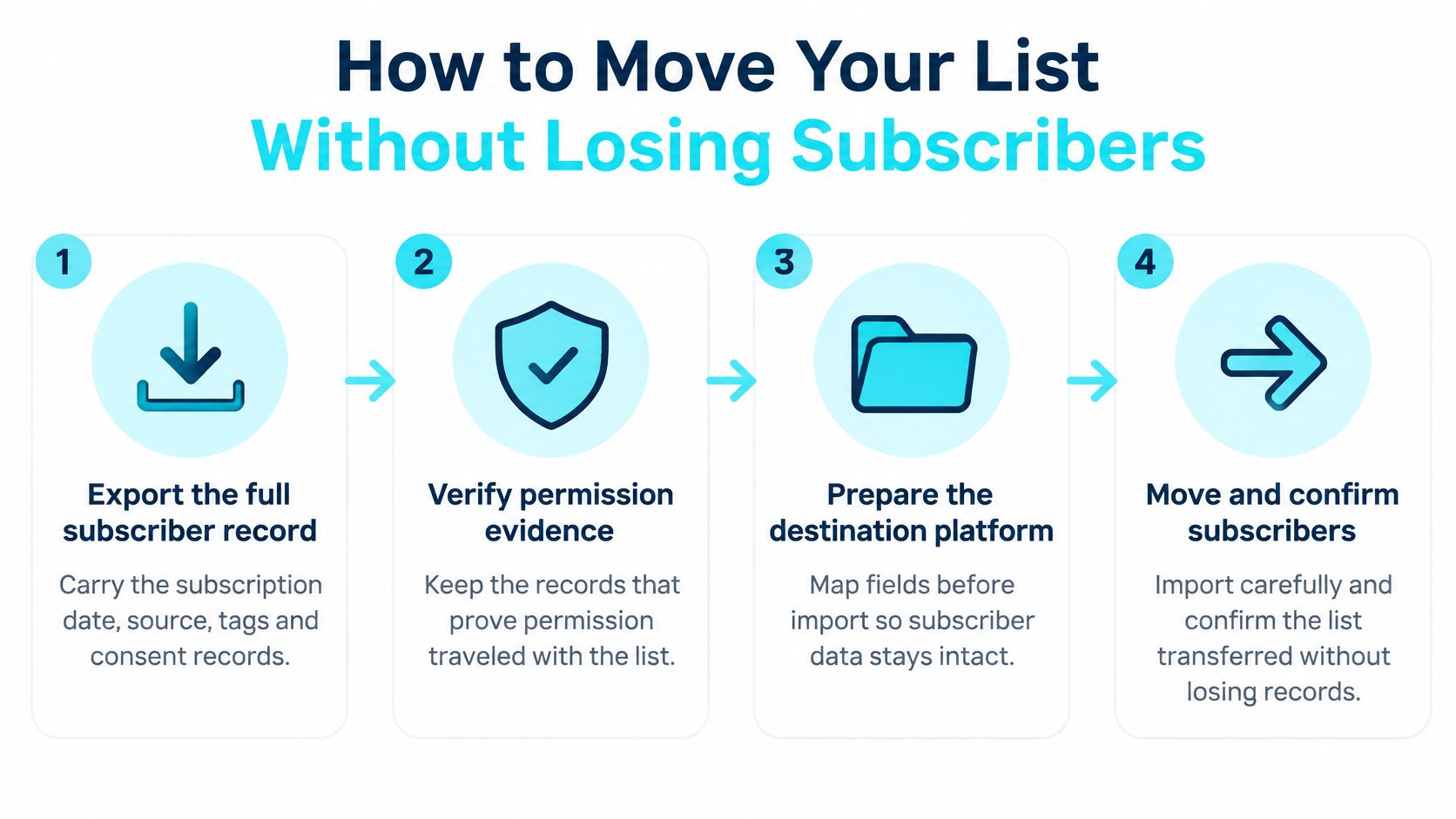
Migration Steps
Export the full subscriber file. Include email, name, subscription date, source, tags, status and consent records. Importing addresses alone destroys segments and makes permission hard to prove. VeloCMS offers native full data export, but export scope differs between platforms, so the scope of the file should be confirmed before any move is promised.
Confirm a reusable format. GDPR portability requires data in a structured, commonly used, machine-readable format, set out in the Data Protection Commission guide to Article 20 GDPR. The practical test is whether the destination platform can import the file, not whether a person can open and read it.
Authenticate the new sending domain. Set up SPF, DKIM and DMARC and confirm the records resolve before importing thousands of addresses. Sending first and fixing authentication later risks spam placement on the campaign that introduces the new platform.
Import and map columns carefully. Match email, name, tag, source and consent fields to the destination fields. The common slip is accepting default mapping, which can drop tags and merge distinct segments into one undifferentiated list.
Remove unsubscribed and hard-bounced addresses. Never import them as active subscribers. Doing so can breach permission, trigger complaints and damage the new sending reputation immediately.
Send a test campaign. Use inboxes controlled by the publisher, confirm authenticated headers and check that one-click unsubscribe suppresses the address on the next send.
Overlap, then send in batches. Keep the old platform available during a short overlap, watch bounces and complaints, and increase volume gradually rather than mailing the whole list at once.
Move the archive and redirects. Existing post links should keep working, so redirects need testing before the old site is switched off.
Publishers moving from common email tools can work through the route for moving a newsletter from Mailchimp, Kit or beehiiv alongside these checks.
A short video walkthrough can help a publisher rehearse the import and test sequence before touching the live list.
Portability has limits worth reading in plain terms. The right generally reaches the data a subscriber handed over under consent or a contract through automated processing; it does not automatically reach scores, inferred segments or notes the service generated on its own. Treat the export policy as part of the platform decision and make it name exactly which subscriber and member fields are included, because those fields determine whether consent and history survive the move.
Which Platform Fits Your Publishing Model
No single winner fits every publication. The right choice depends on how revenue is earned, the size of the free list, and how much automation the publisher uses.
Four Common Situations
A paid writer with a small free list usually does best starting on a percentage-fee platform. There's little or no fixed bill before revenue arrives, setup is fast and a built-in discovery feed may help strangers find the work. The trade-off arrives with success, because the fee grows in direct proportion to income and readers who consume content inside an app may be harder to reach after a move.
A media team with a large free list should prioritise segmentation, cohort reporting and mature automation. List-first tools such as Kit or Mailchimp often fit better here, especially when the team runs launches, lead magnets, product sales and multi-step sequences. The price is higher subscriber-based cost and, in many setups, a website that sits separately from the email system. Publishers weighing audience ownership against a network-led model can read the comparison of subscriber-owned newsletters and Substack before committing the whole list.
A blogger who wants site, newsletter and memberships under one login gains from a combined platform. There's one editor, one member database and fewer integrations to break during updates. The compromise is a smaller third-party ecosystem. A publisher who depends on a specialist store, an unusual payment workflow or a deep marketing automation suite may find a dedicated tool stronger, and that competitor is the better choice in that case.
An indie maker who already runs a site on another CMS may only need a newsletter added to the existing setup. If that CMS sends natively and handles segments well enough, staying put avoids a risky migration. The limit is usually automation depth and reporting. Once welcome sequences, paid tiers and re-engagement workflows become central to revenue, a specialist or combined publishing platform earns its cost.
A platform wins only for a specific publishing model, not in the abstract.
Discovery deserves a fair hearing too. A writer with no existing audience may rationally accept a revenue share in exchange for recommendations and social sharing inside a busy network. A writer with a loyal list built over years gains less from that network and should protect margin, consent records and direct reach instead. The honest test is whether the platform's strongest feature solves the publisher's current bottleneck, growth, revenue retention, reporting or operational simplicity.
Test Your Shortlist Before Moving Your List
Shortlist two platforms and test both with 50 to 100 subscribers under the publisher's control. Don't move the full list on the strength of a feature page or a polished demo.
The visual comparison below reflects the decision. It's rarely editor against editor. It's fees, inbox placement and exit cost against convenience.
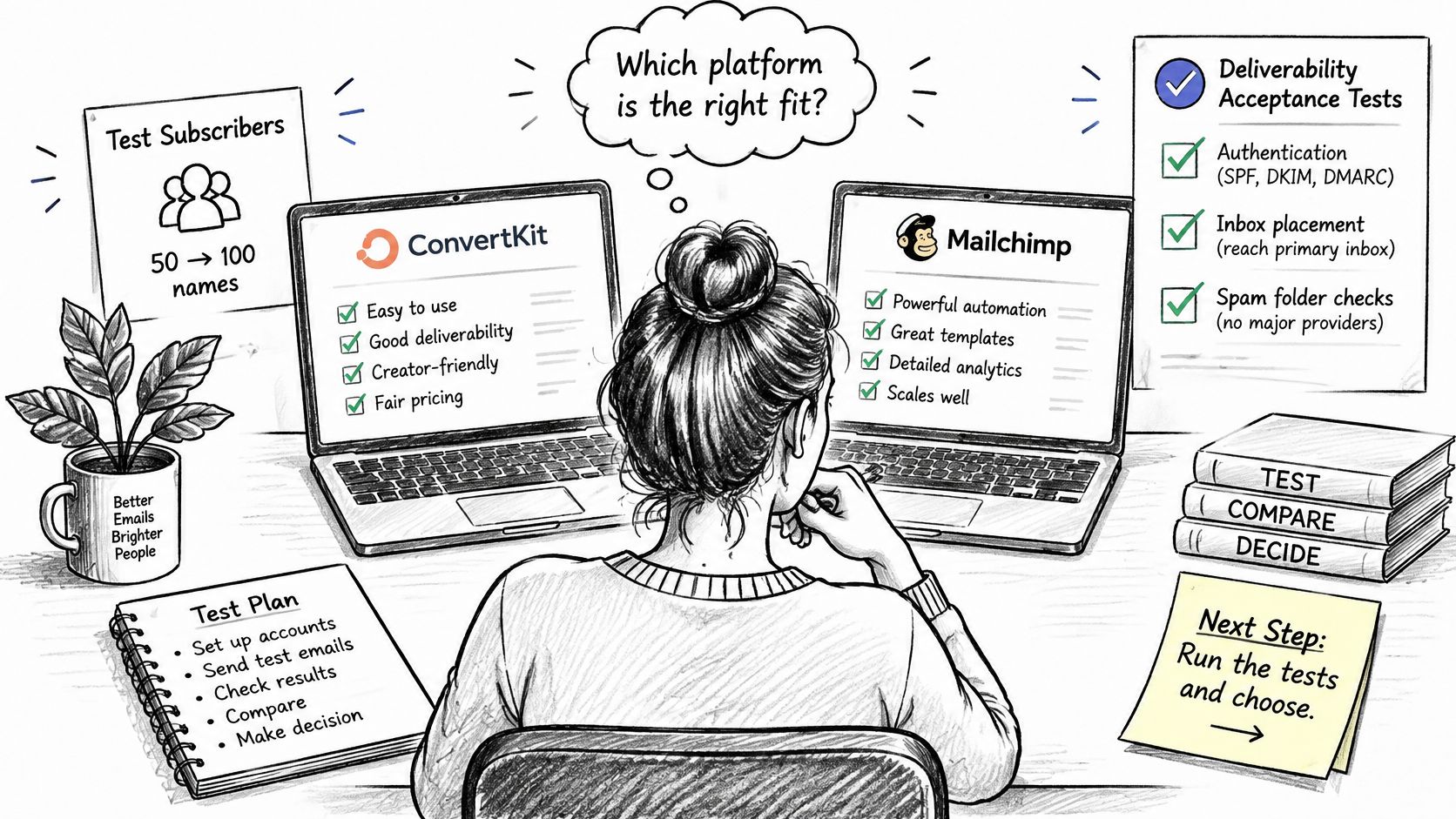
Run the same checks on each platform. Send one campaign, inspect authenticated headers, use the one-click opt-out and confirm suppression on the next send. Then download the export file and open it. Posts, media and the subscriber list should be exportable whenever the publisher wants, so content and readers leave with the publisher if the service is left behind.
An independent check helps separate delivery from actual inbox placement. A free inbox placement test from MailGenius gives publishers an outside view of where a test message lands before a full list depends on the result. Pair that result with the pricing break-even calculation at current revenue and at the revenue expected next year. VeloCMS Pro is a flat $9/mo for up to 5,000 subscribers, with no platform fee on paid memberships, which makes that comparison straightforward. VeloCMS has no free plan, but every plan starts with a 14-day free trial, so the practical route is to import the test list, send one campaign and inspect the export before the trial ends.
Start the 14-day free trial, import a small test list and send one authenticated campaign to see the headers, suppression and export working with real subscribers. VeloCMS combines the blog, newsletter segments, memberships and full data export in one place, so the trial tests the whole publishing setup rather than just an editor.