content management system · Nov 04, 2026
Content Management System Benefits: Workflow, SEO and Cost
The draft is ready, but the same post still needs copying into a website, formatting for email, and checking in a separate SEO tool. A content management system brings drafting, storage, publishing, and updates into a shared workspace. The main content management system benefits are fewer handoffs,

The draft is ready, but the same post still needs copying into a website, formatting for email, and checking in a separate SEO tool. A content management system brings drafting, storage, publishing, and updates into a shared workspace. The main content management system benefits are fewer handoffs, more consistent pages, clearer editorial controls, and less maintenance, provided the platform replaces work rather than adding another subscription.
Table of Contents
Core Content Management System Benefits at a Glance
A useful CMS works like a prep kitchen serving every dish from a shared station instead of several disconnected food trucks. For a small publishing team, its value comes from fewer tools, fewer repeated tasks, and fewer surprises, not the length of its feature list.
CMS benefits, what each replaces and how to verify it
Benefit | What it replaces | How to check it |
|---|---|---|
Workflow consolidation | Separate drafting, SEO and newsletter tools | Count the logins and subscriptions that can be cancelled |
Built-in SEO guidance | Standalone SEO plugin and hand-written metadata | Confirm titles, meta descriptions and structured data publish with each post |
Faster pages | Heavy themes and stacked plugins | Measure Largest Contentful Paint on mobile at the 75th percentile |
Governed AI editing | Unreviewed AI drafts pasted straight into pages | Confirm approvals, revision history and roles exist |
Lower maintenance load | Manual updates, backups and plugin conflicts | Count hours per month spent on upkeep |
Content portability | Locked archives and proprietary formats | Run a full export and open the files |
Predictable cost | Per-plugin and per-add-on fees | List every recurring charge and calculate a monthly total |
Each benefit should be judged by the work the team stops doing, not merely by whether a feature appears on a sales page.
A feature isn't automatically a saving
A CMS might include email but lack the segmentation a newsletter needs. Its editor might be convenient while its approval process still depends on messages outside the system. In either case, the old tool remains necessary, and the expected saving doesn't materialize.
The distinction matters because CMS value extends beyond publication speed. An IDC study cited in Adobe's component content management report found that 38% of organizations reported improved employee productivity, while 38% reported improved customer experience. Those findings concern structured content operations, not a guaranteed result for every small website.
Practical rule: A feature earns its place when a publisher can identify the task, expense, or risk it removes.
The strongest starting point is the team's current frustration. A publisher struggling with repeated copying should prioritize workflow. A business losing time to updates should examine maintenance responsibilities before experimenting with new themes.
Publishers can pick the benefits that match their biggest pain points and read the matching sections first. The final trial checklist turns the full set into a practical comparison.
Why One Workflow Beats a Stack of Tools
Consider a newsletter writer preparing a weekly issue. The draft starts in Google Docs, moves into a site builder, passes through an SEO plugin, and gets copied into an email platform. Paid-member records live somewhere else.
Each transfer creates another opportunity for an error. A tracked link gets replaced with an older version. An image needs uploading again. A corrected headline reaches the website but not the email draft.
The cost isn't just typing time. Someone must remember which version is final, check formatting after each paste, and confirm that member access matches the intended audience. A stopwatch beside a normal publishing session gives a more useful estimate than a vendor's claim about hours saved.
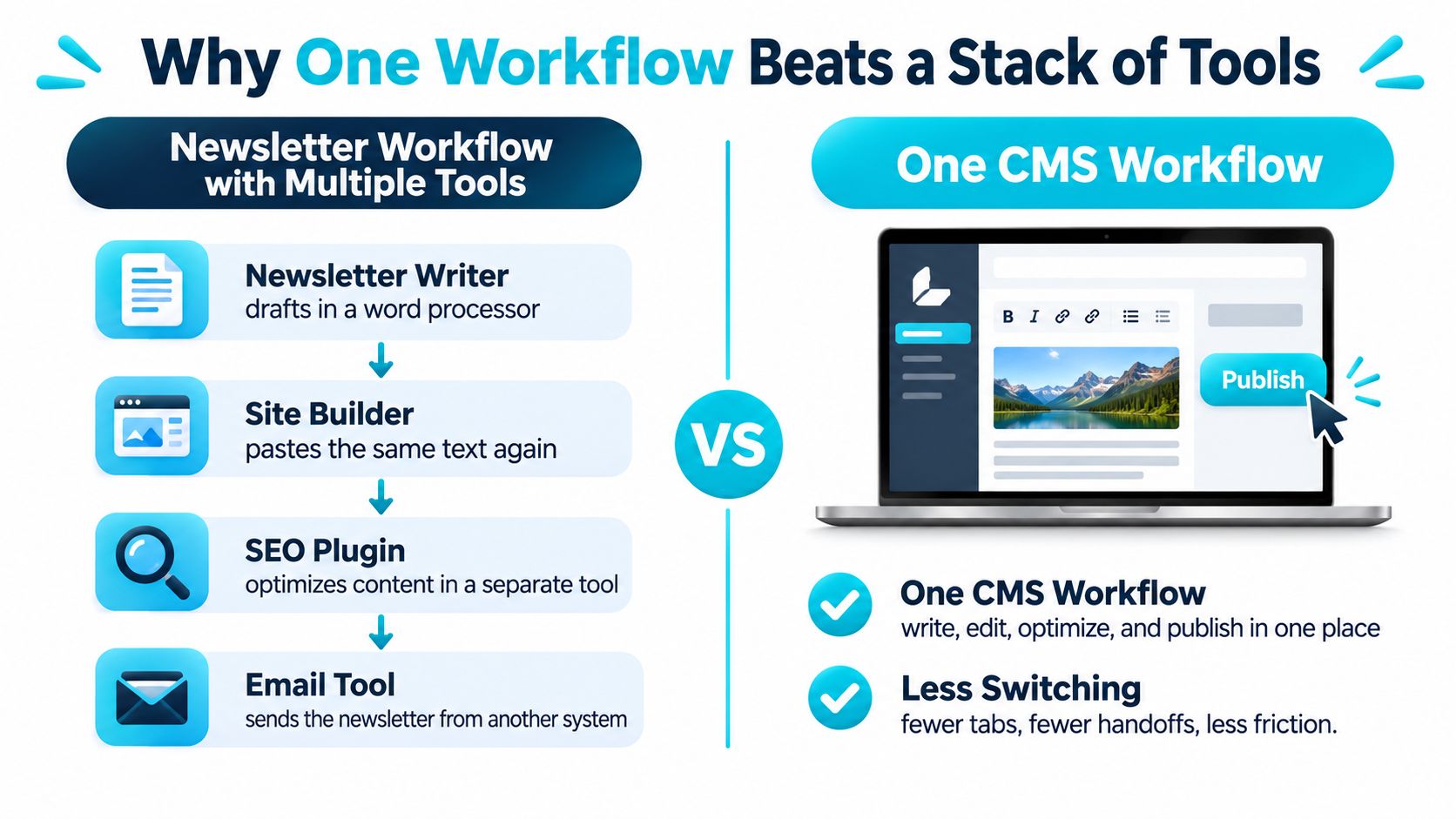
Consolidation needs a shared source of truth
In a consolidated workflow, the writer prepares the article, the editor checks it, and the publisher distributes it from the same workspace. When the system supports shared content records, subscriber management, and access rules, staff don't have to reconcile separate archives manually.
That doesn't mean every channel should receive identical content. Email may need a shorter introduction or a different call to action. The benefit is retaining a controlled master version while making those channel-specific changes deliberately.
In the 2024 Bynder marketing trends survey, 83% of marketing leaders said they were eager to streamline workflows and reduce the number of technology solutions they relied on. That larger-team perspective is a useful signal, but small creators should judge consolidation against their own tool count.
Reviews need a home too
Moving drafting into a CMS won't help much if approval still happens across chat threads and annotated screenshots. PinDrop's resource on website feedback for product teams provides useful context for examining that review handoff. The practical question is whether comments reach the person making the change without another round of copying.
The VeloCMS team collaboration guide is also a relevant document to inspect when evaluating author and editor responsibilities.
A workable counting exercise is straightforward:
List every tool: Include everything touching a post between the initial draft and the subscriber's inbox.
Mark each transfer: Note copying, exporting, uploading, and manual audience synchronization.
Identify what remains: Keep specialist tools when they perform essential work the CMS can't replace.
A shorter tool list is useful only when the publishing process becomes simpler too.
How a CMS Supports Page Speed and Search Visibility
A publishing template affects every article that uses it. A slow image component or an unstable ad slot can hurt the reading experience across the site, so fix shared templates before patching individual posts.
Core Web Vitals thresholds for a good page
Metric | Good | Needs improvement | Poor |
|---|---|---|---|
Largest Contentful Paint (LCP) | 2.5 seconds or less | Above 2.5 to 4 seconds | Above 4 seconds |
Interaction to Next Paint (INP) | 200 milliseconds or less | Above 200 to 500 milliseconds | Above 500 milliseconds |
Cumulative Layout Shift (CLS) | 0.1 or less | Above 0.1 to 0.25 | Above 0.25 |
Google's Core Web Vitals documentation sets the good targets, and Google's web.dev threshold guide defines the poor bands. Google's Search Console guidance describes assessment at the 75th percentile of real-user visits over a rolling 28-day period.
LCP measures when the main visible content appears. An oversized lead image can delay that moment even if the navigation loads quickly. Image handling, templates, server responses, and caching all contribute.
INP measures responsiveness. A menu that hesitates after a tap may indicate too much browser work. Analytics, chat widgets, advertising scripts, and decorative effects can all add to it.
CLS measures unexpected movement. If text shifts as an image loads, reading becomes harder. Reserve space for images, embeds, and other dynamic blocks to keep the layout stable.
Fix templates rather than individual symptoms
A CMS can make shared improvements easier to maintain. Cached or server-rendered HTML can make content available sooner; controlled JavaScript can reduce browser work; fixed media dimensions can prevent layout shifts.
Those gains depend on implementation. Oversized media and excessive third-party scripts can slow a lightweight platform. A carefully maintained WordPress site can also perform well. The VeloCMS comparison of static React blogs and WordPress performance offers a way to frame architectural trade-offs, but measure the templates, content, and integrations intended for launch.
Standardize search essentials
A CMS can provide consistent fields for page titles, meta descriptions, canonical URLs, Open Graph tags, and structured data. Check the published HTML to confirm those fields appear correctly. A green score in the editor is not proof that search engines receive the right output.
Passing performance thresholds doesn't guarantee rankings. Speed supports usability and SEO hygiene; it doesn't replace useful content.
Check performance in this order:
Test representative templates: Start with the most-visited article, archive, and landing-page layouts on mobile.
Fix the weakest metric: Identify whether a template component or integration is causing the problem.
Review real-user data: Use lab tests to diagnose issues, then check whether visitors experience the improvement.
Governing AI Drafts Before They Reach Readers
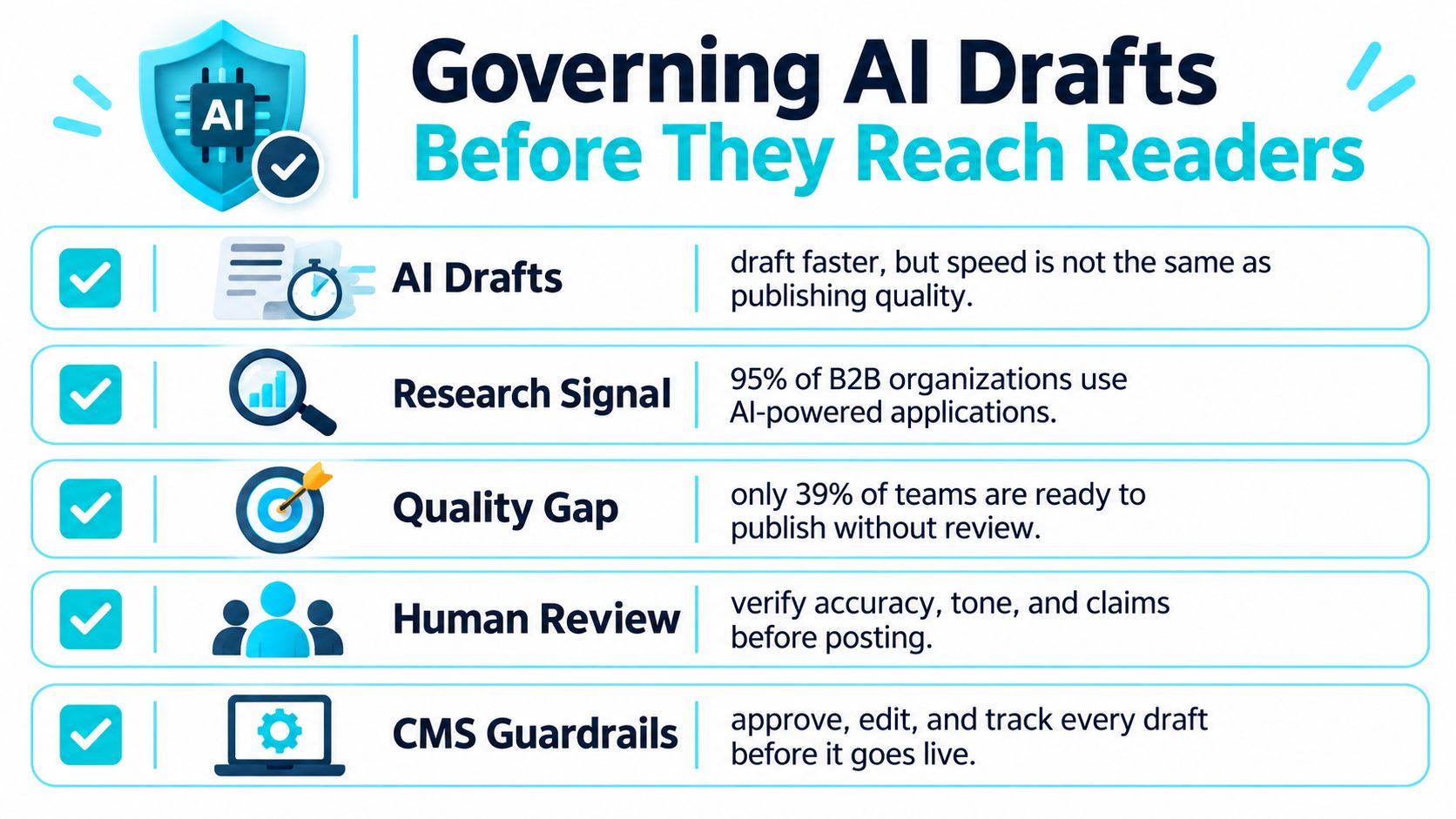
Faster drafting doesn't establish that an article is accurate, appropriate, or ready to publish. An AI assistant can shorten the writing process while leaving an editor with unsupported claims, invented quotations, or text that doesn't match the business.
ContentStudio's discussion of what happens after an AI draft highlights the distinction between drafting productivity and governed publishing. For a small team, the useful question isn't whether the CMS has an AI button. It's whether a named person remains accountable for the published result.
Controls worth testing
A realistic evaluation should follow an AI-assisted draft through the actual editorial process:
Human approval: An editor must be able to hold the draft without making it public.
Revision history: The record should make changes visible and allow recovery of an earlier version.
Publishing permissions: A contributor's ability to draft shouldn't automatically include permission to publish.
Tool attribution: The team should record which AI tool produced or substantially rewrote the content.
Editorial rules: Brand language, accessibility, translation, and tone requirements should apply to AI-assisted work too.
Claim review: Statistics, quotations, product promises, and factual assertions need human verification against original sources.
Say an AI-generated article includes a conversion statistic without a source. The correct outcome is a held draft with an assigned reviewer, not publication followed by a reminder to check it later.
Test the process as well as the prose
AI governance also includes the systems around an article. If a team uses AI to create tests for its publishing workflow, guidance on how to validate generated test cases with 99tests offers a useful parallel: generated output needs validation before anyone relies on it.
Permissions deserve particular attention when AI agents can retrieve organizational content. A private draft, customer record, or member-only attachment shouldn't become accessible just because an assistant can search the content store.
An approval label is only useful if the system prevents an unapproved draft from reaching readers.
The decisive vendor question is concrete: Where does an unapproved draft live, and who can see it? A clear answer should identify storage, access rights, publication controls, and the person responsible for approval.
Total Cost and Maintenance Savings to Calculate
Cost items to total each month
Cost item | Common example | Question to ask |
|---|---|---|
Software subscriptions | Separate CMS, SEO tool, email and membership plugin | Can separate services be merged into a single plan? |
Add-ons and premium plugins | A paid plugin for each missing feature | How many add-ons does the core plan need? |
Maintenance labor | Updates, backups and plugin conflicts | How many hours per month go to upkeep? |
Revenue fees | A percentage taken from paid subscriptions | What is the platform percentage plus processing fees per payment? |
Outage and security risk | Unpatched plugins and downtime | Who applies patches, and how quickly? |
Migration | A one-off move to a new platform | Which export formats and media files come with it? |
The cheapest subscription isn't necessarily the cheapest publishing setup. A fair comparison includes the time someone spends maintaining it, the extra services required, and the expense of leaving.

Separate platform fees from processing
According to Substack's pricing explanation, the platform keeps 10% of each paid subscription payment, while Stripe separately lists 2.9% plus $0.30 for US card payments and 0.7% for recurring payments through Stripe Billing. Using those rates, an illustrative $10 subscription incurs $1 in platform fees, $0.59 in card processing, and $0.07 in recurring billing, leaving $8.34 before other applicable costs.
A platform with no platform commission can still incur payment-processing charges. The comparison needs the complete payment path, not just the headline percentage.
Put a value on upkeep
In Hygraph's 2024 survey findings, 74% of technology leaders said improving the ability to expose data and content would significantly reduce operational costs. That's a directional signal from technology leaders, not a savings forecast for an independent newsletter.
A deliberately hypothetical worksheet makes the calculation clearer. Suppose a publisher pays for four tools at $30 each and spends three hours on upkeep valued at $40 per hour. That illustrative stack costs $240 monthly, compared with a hypothetical $99 bundled plan, before adding any labor or services the bundled plan still requires.
Those are placeholders, not market prices. Every publisher should substitute actual invoices and a realistic value for maintenance time.
The VeloCMS guide to the cost of running a WordPress blog provides another checklist for examining a stack's components. Managed hosting and specialist plugins may justify their cost when they provide capabilities a bundled service lacks.
Monthly comparison total = subscriptions + add-ons + maintenance labor + payment fees + migration allowance. Outage and security responsibilities should sit beside that total, with a named owner, rather than an invented financial estimate.
Keeping Your Content and Audience Portable
Content portability isn't complete site portability. An export may preserve the writing while leaving behind images, settings, and the configuration needed to recreate the site.
The WordPress export guide describes the dashboard route: open Tools, select Export, choose all content or selected content types, and download the XML or WXR file. That archive can contain posts, pages, comments, categories, tags, and links to media, but it doesn't contain the media files themselves.
What a WordPress export includes and leaves out
Item | Included in the XML file | What to do |
|---|---|---|
Posts and pages | Yes | Treat as the core archive and check after import |
Comments, categories and tags | Yes | Confirm counts match the live site |
Attachment files such as images and PDFs | No, only links to them | Copy the media folder separately |
Site settings | No | Record them by hand before moving |
Theme configuration | No | Take screenshots and rebuild the layout |
Plugin configuration | No | List each plugin and reconfigure it on the new platform |
Preserve the working system
The official WordPress command-line export documentation likewise distinguishes WXR content records from site configuration options and actual attachment files. The practical order is to export the content, copy the media separately, and document the settings before changing hosts or platforms.
Publishers using services to manage WordPress publishing workflows, such as FoPost, should also record the surrounding publishing process. Moving the archive doesn't automatically reconnect scheduling services or external integrations.
VeloCMS users own their data. Posts, members, subscribers, and attachments can be exported anytime through the admin panel in Markdown, JSON, or CSV. If VeloCMS shuts down, the blog keeps working, and every post, member, media file, and setting remains exportable.
The same standard belongs in any platform evaluation: documented formats, actual downloadable files, and a clear distinction between content records and the assets required to use them. A migration promise isn't enough without a usable exit package.
Test the Benefits and Decide Whether to Switch
A trial should answer operational questions, not merely confirm that the editor looks pleasant. A publisher needs evidence that the new system fits the actual content, audience, and review process.
A practical trial procedure
Count cancellable tools. Follow the workflow exercise from draft to inbox. Mark subscriptions as removable only after their essential functions work in the replacement system, including segmentation, access control, and required integrations.
Publish three representative posts. Include an image-heavy article, an ordinary text post, and a post with embeds. Apply the performance checks to mobile templates and inspect available 75th-percentile field measurements; a new trial site may not yet have enough real visits for meaningful field data.
Challenge the approval process. Send an AI-assisted draft containing a deliberately unsupported claim through review. Confirm that a reviewer can block publication and that revision history records the correction without granting the writer unnecessary access.
Open the export. Download posts, subscribers, and media. Compare record counts with the admin dashboard, open the files, and verify that attachments are usable rather than assuming a successful download proves completeness.
Calculate the monthly total. Use the cost worksheet, including add-ons, payment fees, and maintenance labor. Record migration hours separately, then spread that switching cost across the period chosen for the comparison.
Match the decision to the publishing business
A creator running a newsletter with paid members should give substantial weight to audience administration and payment costs. A high-traffic publication should prioritize real template performance, search controls, and the ability to change shared components safely.
Switching isn't always worthwhile. A writer with a single newsletter list and no website may already have a suitable tool. Migration can consume more time than a modest workflow improvement returns.
A replacement should beat the current setup at the work that matters, not merely offer more settings.
The same checklist should be run against at least two alternative platforms. Comparable posts, the same integrations, and consistent labor assumptions make that comparison fair.
VeloCMS includes newsletters, memberships, a store, and SEO tools within the product rather than requiring separate subscriptions. It has no free plan, and every plan starts with a 14-day free trial; a clickable demo of the actual admin dashboard also provides demo data without signup. Publishers can inspect plan details and side-by-side platform comparisons before committing migration time.
VeloCMS brings blogging, newsletters, memberships, commerce, and SEO tools into a shared publishing platform. Publishers can explore the admin demo, then use a trial to test the workflow, monthly cost, and export files against their current setup.