advertising in newsletter · Oct 31, 2026
Advertising in Newsletter: How to Sell and Run Sponsor Ads
Advertising in newsletter works when you price by delivered reach, label sponsors clearly and measure clicks. Here is how to run it step by step.

The most popular advice about advertising in a newsletter is to price by subscriber count and open rate. Both can mislead: a subscriber isn't necessarily a delivered impression, and an open isn't a dependable measure of attention. A better deal starts with a clear placement, an audience the sponsor wants to reach, and reporting that connects delivered emails to clicks and qualified conversions.
Table of Contents
- Sponsorship Formats and Which One to Sell First
- Measuring Results Without Trusting Open Rates
- How to Set Up Your First Sponsored Issue
- Disclosure, Frequency and Deliverability Rules
- Confirm a 30-Day Pilot Before You Sell More Slots
Sponsorship Formats and Which One to Sell First
For a small list testing sponsor demand, start with a classified block. It gives several advertisers a short listing in one issue, so the publisher can test interest without selling the entire send or promising more reach than the list can deliver.
| Format | What the Sponsor Gets | Best Fit | Pricing Basis |
|---|---|---|---|
| Primary slot | Top or lead placement in the issue | Broad or high-traffic lists | Flat fee per send |
| Mid-email placement | Native block within the main content | Lists with steady click activity | Flat fee per send or CPM |
| Classified block | Short text listing among several sponsors | Small lists testing demand | Flat fee per listing |
| Dedicated email | Entire send written for one sponsor | Sponsors wanting full attention | Premium flat fee |
| Recurring series | Same slot across several issues | Sponsors running a campaign | Discounted per-issue rate |
| Post-send retargeting | Follow-up to readers who clicked in an earlier send | Offers with a clear next step | Flat fee for the follow-up |
A primary slot puts the sponsor at the top, where it gets the first look and the most scrutiny. Keep the ad clearly labeled and closely matched to the issue. A mid-email placement suits a newsletter with steady click activity, especially when the offer naturally fits the surrounding material. Both can be priced as a flat fee; a CPM can also make sense when the parties define the impression denominator.
A dedicated email gives one sponsor the full send and reader attention, so it should carry a premium flat fee. It also puts more of the issue's goodwill at stake on one offer. A recurring series reserves the same placement across multiple issues. A publisher can discount the per-issue rate in exchange for a longer commitment, and the consistent setup makes results easier to compare across sends.
Practical rule: Sell one format well before adding another. Keep its placement stable across the first few sends so the sponsor can compare like with like.
A post-send retargeting placement follows up with readers who clicked earlier. It works when the sponsor has a concrete next step, such as a product demo or signup, and can be priced as a flat fee for the follow-up. Publishers comparing sponsor offers can also review how other newsletters invite advertisers to reach a personal finance audience. For broader monetization options beyond sponsorships, this guide to monetizing a blog offers useful context.
Measuring Results Without Trusting Open Rates
Open rates are a poor measure of sponsor reach. Apple Mail Privacy Protection can prefetch tracking pixels, while image blocking can prevent pixels from loading. Use opens as a rough reference, not as proof that someone read the issue or as guaranteed reach.
| Metric | How to Calculate | What It Tells You |
|---|---|---|
| Estimated opens | Eligible subscribers × measured open rate | A rough attention estimate for pricing |
| Effective CPM | Sponsorship price ÷ estimated opens × 1,000 | Cost per thousand estimated opens |
| CTR by delivered email | Unique clicks ÷ delivered emails | Response across the delivered list |
| CTR by open | Unique clicks ÷ opens | Response among measured opens, a noisy figure |
| Conversion rate | Conversions ÷ unique clicks | Whether the offer and landing page work |
| Cost per acquisition | Sponsorship price ÷ conversions | Cost of each tracked sale or lead |
| Revenue per thousand delivered | Revenue ÷ delivered emails × 1,000 | Publisher revenue per thousand delivered emails |
| Unsubscribe rate | Unsubscribes ÷ delivered emails | Audience loss associated with the send |
Published CTR benchmarks vary by placement, vertical, and denominator. A media kit should state whether CTR means unique clicks divided by delivered emails or by measured opens. Those figures answer different questions, so don't compare them as if they were equivalent.
Follow clicks through to conversions
Start with unique clicks, then calculate conversions from those clicks. Click volume alone can flatter an ad if the offer draws unqualified visitors or the landing page fails to convert. Where the sponsor tracks sales or leads, report cost per acquisition alongside revenue per thousand delivered emails.
Clicks are only part of the response. Replies, comments, social engagement, post-send surveys, and a “how did you hear about us?” field can reveal outcomes that link tracking misses. For a clear way to present performance, see this guide to client growth reports.
Put the denominator beside every result. “CTR” alone leaves the calculation unclear. Label each figure, such as unique clicks per delivered email, conversions per unique click, or unsubscribes per delivered email. Use delivered reach and qualified conversions to judge whether a placement earned its price.
How to Set Up Your First Sponsored Issue
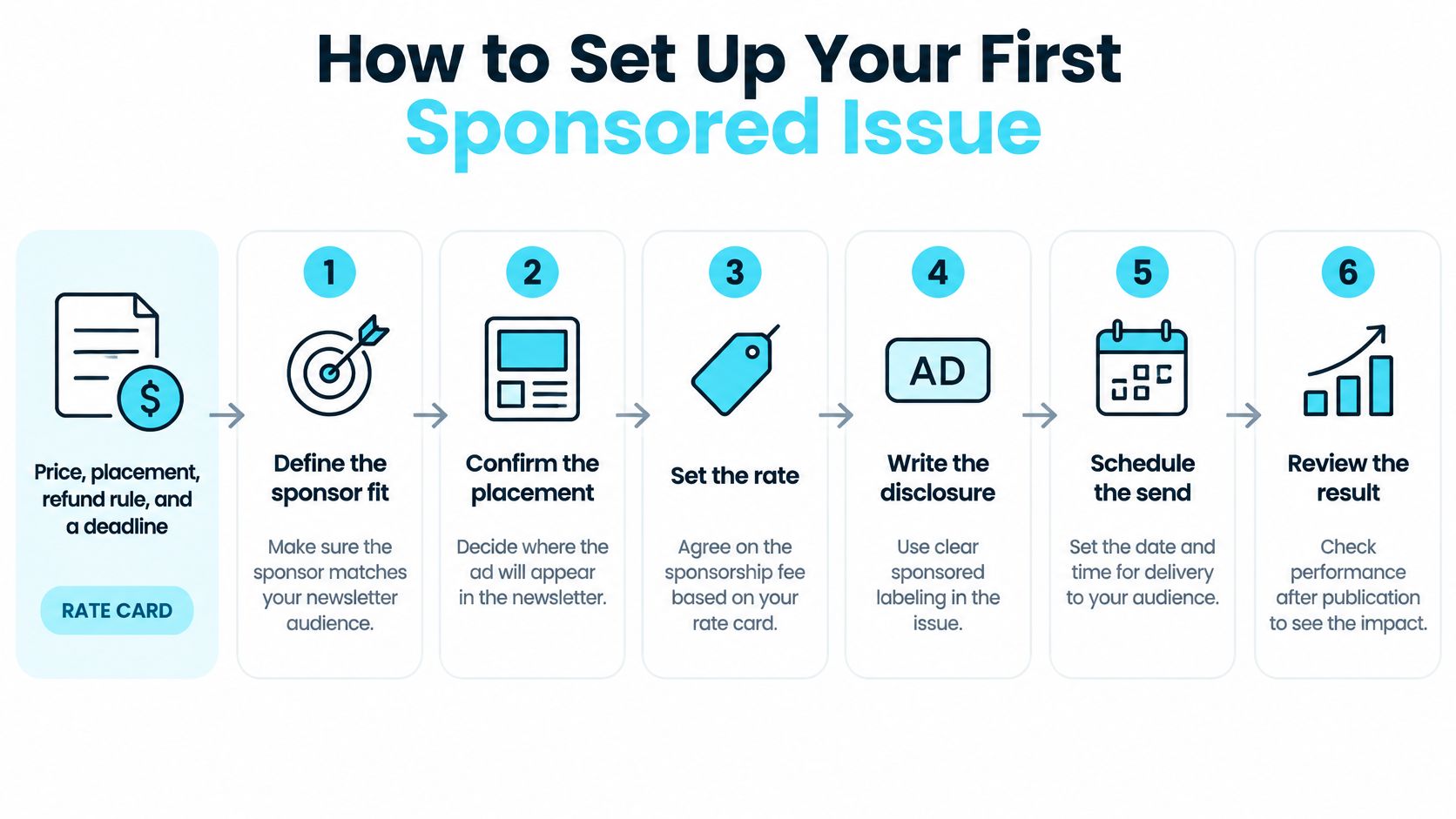
Before accepting a booking, prepare a rate card that states the price, placement, refund rule, and make-good clause for delivery problems. That lets the sponsor agree to what happens if the issue misses the promised delivery or placement, rather than negotiating after results are in.
Audit the list. Check how subscribers joined, where they live, their role or industry mix, recent activity, bounce rate, and unsubscribe rate. The sponsor is buying access to the audience that exists, not the subscriber total; quoting the total as reach is a common mistake.
Build a media kit. State delivered count, unique clicks, the conversion definition, attribution window, bot filtering, country mix, and refund terms. Use explicit denominators for results, because an open rate without its basis can make a placement appear more certain than it is.
Choose the placement and price. Select a format that fits the list's demonstrated delivery and click activity, then write down the single offer the sponsor will test. Charging for a placement the list hasn't shown it can deliver weakens the proposal and makes the result harder to defend.
Set up tracking. Give the sponsor one landing page, UTM parameters, and a unique redemption code. Don't run two different offers and report one blended result; the sponsor needs to know which offer led to each action.
Run a preflight check. Review mobile rendering, alt text, consistent tracking parameters, the unsubscribe link, and landing-page speed, then send a test to yourself and a colleague. Lock the approved copy before scheduling so a last-minute change doesn't break tracking or alter the agreed placement.
Send and allow time to measure. Report after conversions have had several days to arrive, not immediately after delivery. If a sponsor pushes for a rushed send without agreeing on proof and reporting, settle those terms before booking.
Keep the sponsor's approval, final copy, links, and reporting definition together with the booking. This creates a record of what ran and what the results mean if the sponsor asks for a review or make-good. If the publication also runs advertising on a separate headless React site, the guide to injecting AdSense into a headless React blog covers a different placement setup.
Disclosure, Frequency and Deliverability Rules
Advertising revenue doesn't remove the publisher's duties to readers or email providers. Label paid content plainly, keep the label near the placement, and maintain the controls that let recipients opt out.
| Requirement | What to Do |
|---|---|
| Sponsored-content disclosure | Use a clear, prominent label close to the ad |
| Email republication | Keep the disclosure when sponsored content appears in an email |
| Bulk-sender authentication | Use SPF and DKIM, configure DMARC, and align the From domain with SPF or DKIM |
| One-click unsubscribe | Support List-Unsubscribe and List-Unsubscribe-Post headers |
| Unsubscribe timing | Process opt-outs within two days for large senders |
| Spam complaints | Stay below Google's defined threshold and monitor complaints |
The FTC's native advertising guidance says an ad shouldn't imply it's something other than an ad. When a disclosure is needed to prevent deception, it should be clear, prominent, easy to read, and as close as possible to the ad. Keep that label when republishing sponsored editorial-style content in an email, rather than relying on a general note elsewhere in the issue.
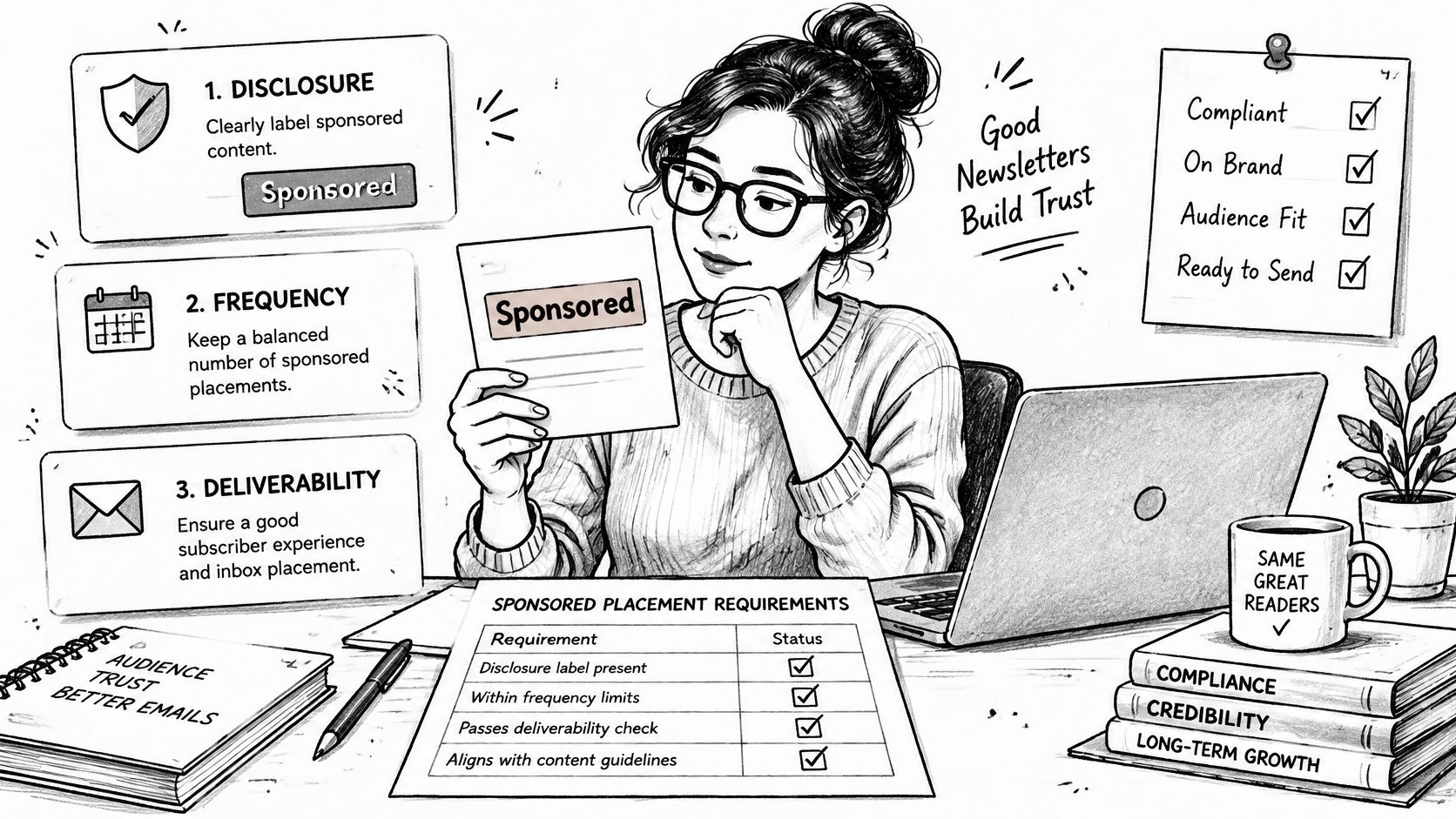
Gmail treats a sender delivering about 5,000 or more messages to personal Gmail accounts in a 24-hour period as a bulk sender. For marketing newsletters at that volume, Google requires SPF and DKIM, DMARC configuration with the From domain aligned to SPF or DKIM, and a one-click unsubscribe mechanism. The Gmail bulk-sender requirements specify the authentication and header requirements, and recommend acting on unsubscribe requests within 48 hours; Google's email sender guidelines say large senders must keep spam complaints below its defined threshold.
Those rules don't set an editorial policy. Cap how often a sponsor appears, exclude recent converters from repeated promotions of the same offer, and maintain a rejection list for products that conflict with editorial standards. A high-CPM sponsor can still cost more than it earns if readers complain or unsubscribe, so test a new sponsor category with a segment before sending it to the full list.
Confirm a 30-Day Pilot Before You Sell More Slots
Run a 30-day pilot with one sponsor before adding another slot or raising the rate. A short, controlled test shows whether the placement earns revenue without damaging reader response, and gives the next sponsor a specific performance record instead of a promise based on list size.
Keep the test audience in its own email segment, hold the placement steady, and use one offer. Before sending, set a pass threshold for each scorecard measure:
- Complaint rate: Set the maximum acceptable level before launch.
- Unsubscribe rate: Define the ceiling that would make the placement too costly to readers.
- Unique clicks: Set a target that reflects the offer and audience fit.
- Conversion rate: Agree on what counts as a conversion and the minimum acceptable result.
- Revenue per thousand delivered emails: Set the minimum return that justifies the slot.
- Renewal intent: Record whether the sponsor intends to book again.
The thresholds should be written down before results arrive. A pilot that meets its click target but exceeds the unsubscribe threshold is a failure, not a reason to sell more ads. A smaller list with strong conversions may support a higher price, while weak conversions call for a change in audience fit, placement, offer, or landing page.
At the end of the pilot, choose one outcome: keep the format, adjust the price, or pause. Use the scorecard to write the next sponsor brief, and keep published posts and newsletter campaigns organized together where possible. VeloCMS lets publishers send published posts as newsletter campaigns from the same admin used to write them, and its newsletter supports tag segmentation for separating a pilot audience.
VeloCMS brings blogging, newsletters, memberships, and site theming together in one subscription, with newsletter tag segmentation that can help keep a sponsor pilot audience distinct. Every plan starts with a 14-day free trial, and there's no free plan. Visit VeloCMS to see whether it fits the way you publish and test newsletter sponsorships.